
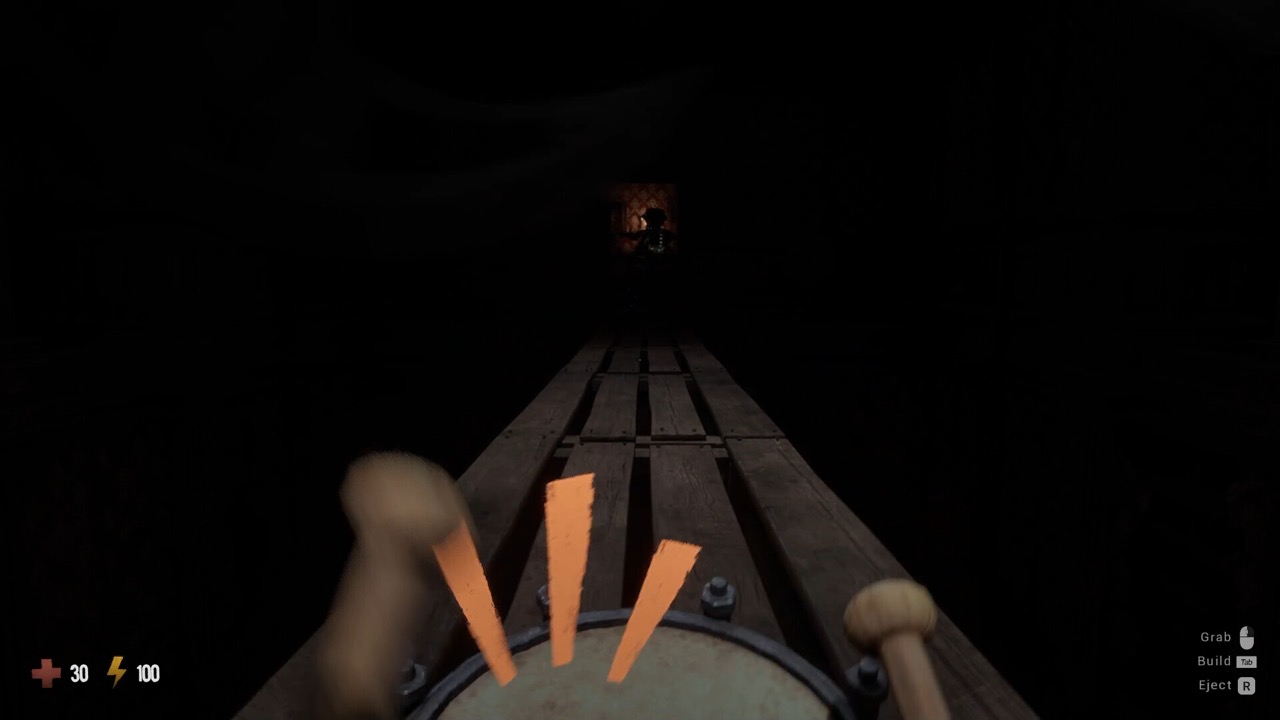
What Is Lights Out in GRAIN ROT?
Lights Out is an elevator modifier — one of the symbol tiles that flash on GRAIN ROT's cursed elevator before a descent — that slashes visibility for the whole run. Community guides rate Lights Out around intensity 3 on the modifier difficulty scale: it doesn't change enemies or loot tables directly, it simply removes light, and darkness amplifies everything else that can kill you in GRAIN ROT.
Two things make GRAIN ROT's Lights Out runs feel different from normal descents:
- Your glow fades. The faint ambient outline your vessel normally carries dims dramatically, so teammates and loot become harder to spot at range.
- Corrupted keep hunting. The darkness does not blind them — they still react to sound and movement — so a Lights Out floor punishes sprint-heavy, noisy play far harder than a lit one.
If you saw the Lights Out symbol flash and ignored it, you'll know within seconds of landing: the floor arrives nearly black, and the first thing every GRAIN ROT crew needs is a light plan.
The Flashlight: Your Primary Tool in Lights Out
Every GRAIN ROT vessel carries a built-in flashlight, and in a Lights Out run it is your lifeline:
- Default keybind: F toggles the flashlight on and off (check Options → Controls if you've remapped it).
- A demo-era bug could cause the flashlight to turn itself off while holding Alt — if your light keeps dying mid-run, that's the known interaction, not your keyboard. Release Alt and re-toggle with F; the issue was widely reported while the GRAIN ROT demo was live.
- The beam is directional — sweep doorways and long corridors before committing, rather than lighting the floor at your feet.
Players searching "how to turn off the light in GRAIN ROT" (or its Spanish equivalent, apagar la luz / apagar la linterna) usually want the opposite problem solved: the flashlight is on and they want it off. Same answer — tap F. Managing on/off states deliberately is a real skill in GRAIN ROT's Lights Out runs, because light is information for you and a beacon for everything nearby.
Light Discipline: When to Switch the Flashlight Off
The Corrupted hunt by sound and movement, and community experience with Lights Out floors strongly suggests treating your light as part of that stealth equation:
- Moving through Corrupted territory? Consider lights-off, slow-walk navigation using map knowledge and audio cues.
- Looting or fighting? Lights on — you need to see scrap piles, trap hazards and vessel condition far more than you need stealth.
- Regrouping? One player (typically the Carrier) keeps a light up as a rally beacon while others move dark.
- Spark form? A disembodied Spark is easier to lose in the dark — call your position constantly when guiding teammates to a new vessel.
External Light Sources: Lanterns and Map Rooms
The flashlight isn't the only answer to Lights Out in GRAIN ROT:
- Lanterns — community modifier guides recommend grabbing lantern items when a Shop Cube run scatters shop loot, precisely because a placed lantern lights a room without draining your attention.
- The Map Room lantern — if the Map Room modifier is also active, its breakable lantern throws steady light (and standing in its fire even burns Rot, at the cost of vessel damage).
- Fire — burning furniture lights an area dramatically. It's chaotic, spreads to wooden vessels including yours, and is very much a last resort.
Visibility Settings That Save Runs
Before blaming Lights Out, tune your display. Community brightness guidance for GRAIN ROT recommends setting in-game brightness to roughly 60–70% — high enough that Corrupted silhouettes read against the dark ruins, low enough that you don't wash out the gloom entirely. Beyond that, GRAIN ROT rewards a few non-obvious habits:
- Play in a dim room; GRAIN ROT's darkness on a bright monitor in a bright room hides everything.
- Assign an audio caller — in Lights Out runs, directional screams and the Geiger-click of Rot are worth more than eyesight.
- Check your GPU is actually driving the game — heavy darkness plus a struggling integrated GPU feels like a bug when it's just settings (see system requirements).
Lights Out and Rot: Why Darkness Stacks Badly
A GRAIN ROT Lights Out floor is never just dark — it hides the two other meters that kill runs. Rot corruption is harder to spot on your own vessel when you can't see your hands, so crews should call verbal rot checks more often in Lights Out runs (the Geiger-click audio cue helps — another reason the audio caller matters). Trap modifiers are the other stack to respect: bear traps in lit runs are an annoyance, but in GRAIN ROT's Lights Out darkness they become genuine run-enders, because the scout can no longer read the floor. When you see Lights Out plus Trap on the same elevator panel, treat slow-walking as mandatory, not optional.
Common Lights Out Mistakes in GRAIN ROT
- Flashlight always on. Constant beams announce your position and, in GRAIN ROT's physics chaos, blind your own anchor at the worst moment. Toggle with F — deliberately, not accidentally.
- Splitting up in the dark. In lit runs a split squad is inefficient; in GRAIN ROT Lights Out runs it's how Sparks fade alone. Keep voice contact and a rally beacon.
- Grinding with no light plan. The Grinder already screams; running it in total darkness means you can't see what answers the noise. Lantern the room first, then feed it.
- Extracting without a rot check. Boarding the elevator Rot-sick is dangerous in any run; in Lights Out runs the symptoms are easier to miss until you're inside. Cure by fire first — the Map Room lantern or the surface scorch.
Lights Out Run Checklist
- Call the symbol at the elevator: "Lights Out — light plan?"
- Assign the beacon player and the audio caller before descending.
- Test your flashlight (F) on landing — fix keybinds at the Outpost, not mid-run.
- Walk, don't sprint: darkness hides traps, and sound still draws the Corrupted.
- Lantern Grinder rooms before activating; sweep chokepoints with the beam before holding them.
- Set an earlier extract threshold than usual — Spark rescues in the dark fail more.
Frequently Asked Questions
What does the Lights Out modifier do in GRAIN ROT?
Lights Out is an elevator modifier that removes most light from the run: your vessel's glow fades and the ruins go nearly black, while the Corrupted keep hunting by sound and movement. Community guides rate it around intensity 3.
How do I turn on the flashlight in GRAIN ROT?
Press F (the default keybind) to toggle your vessel's flashlight. If you remapped controls, check Options → Controls. A known demo-era bug could turn the light off while holding Alt — re-toggle with F.
How do I turn the light off in GRAIN ROT?
Tap F again — the same key toggles the flashlight on and off. Going dark deliberately can help when slipping past Corrupted, since they hunt by sound and movement.
Is Lights Out a modifier or a setting in GRAIN ROT?
A modifier. Lights Out appears as an elevator symbol before a descent and applies to that run — it is not a graphics option. If your game is always too dark, that's a brightness/display issue instead.
What brightness should I use for GRAIN ROT?
Community guides recommend roughly 60–70% in-game brightness so Corrupted stand out against the dark ruins without washing out the gloom.